 Plentibytes
"When is my pickup?"
The phone rings all day with the same three questions
Schedule questions, missed pickups and extra requests land on the same people who run dispatch and billing. Every minute on the phone is a minute not spent on the route.
For waste haulers
Every call, text and email answered as your company. Routes, missed pickups, past-due holds and payments run from one place, with your rules on every action.
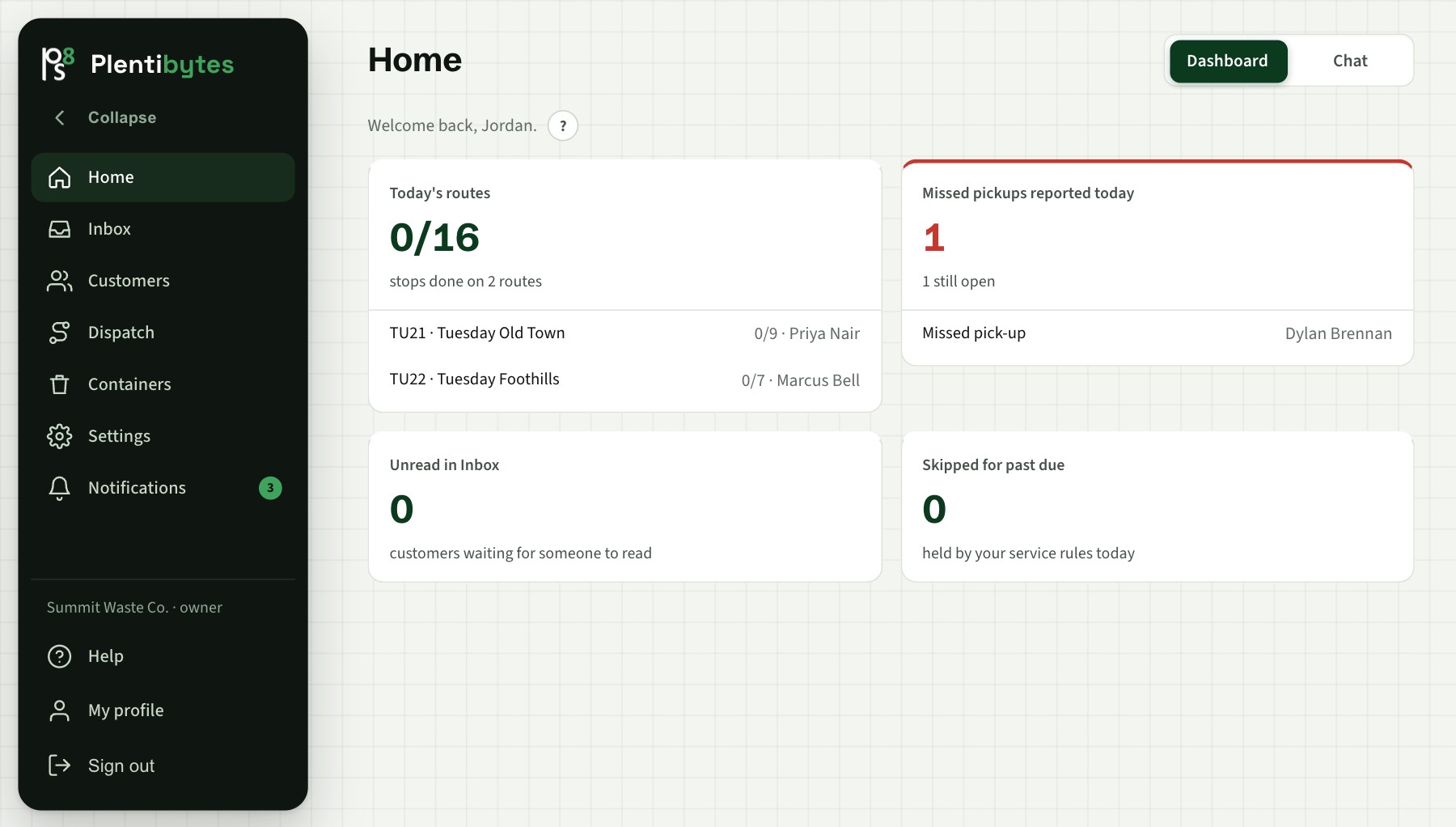
The problem
"When is my pickup?"
Schedule questions, missed pickups and extra requests land on the same people who run dispatch and billing. Every minute on the phone is a minute not spent on the route.
"You missed me again."
A complaint is a name and an address. Whether the truck passed, whether the cart was out, and whether the account was even active takes three systems to answer.
"Are they current?"
The office knows who owes money. The driver does not. Balances live in one system, routes in another, and the truck stops at every house.
What runs it
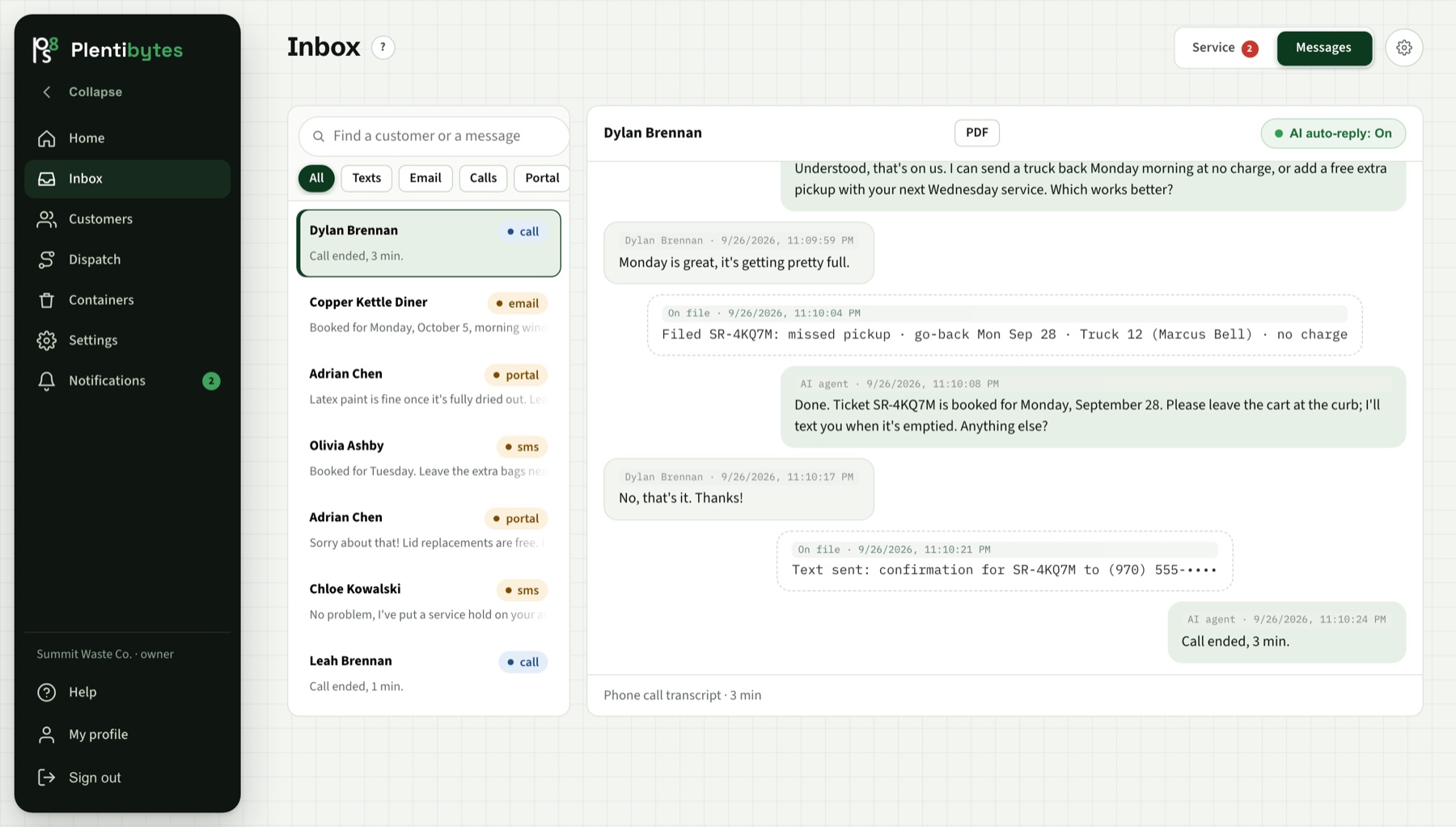
Calls, texts, email and portal chat in one place. Each channel has its own unread count, and the agent's transcript shows every action it took.
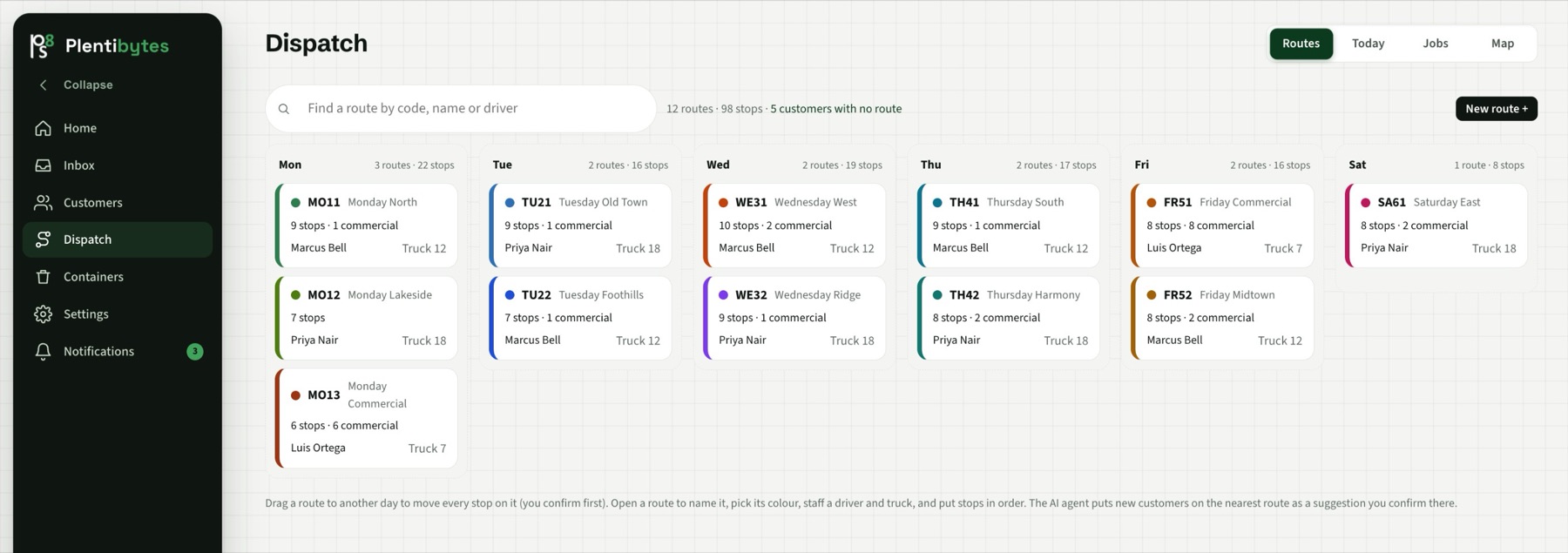
Routes by day, stops in order, trucks and drivers assigned. New customers get placed on the nearest route for the office to confirm.
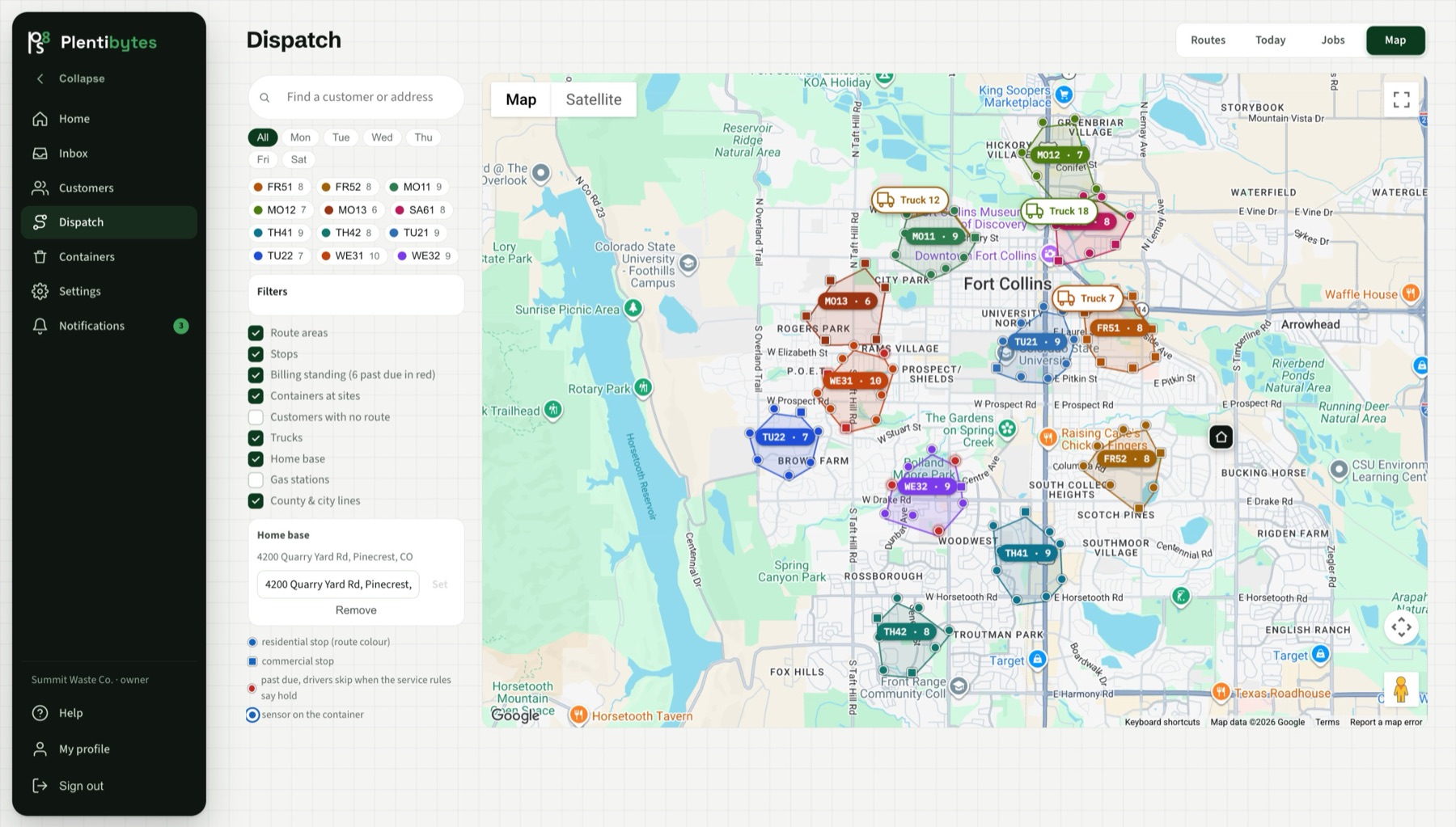
Route areas, live trucks from your GPS, every stop, and past-due stops in red. The map and the agent read the same data.
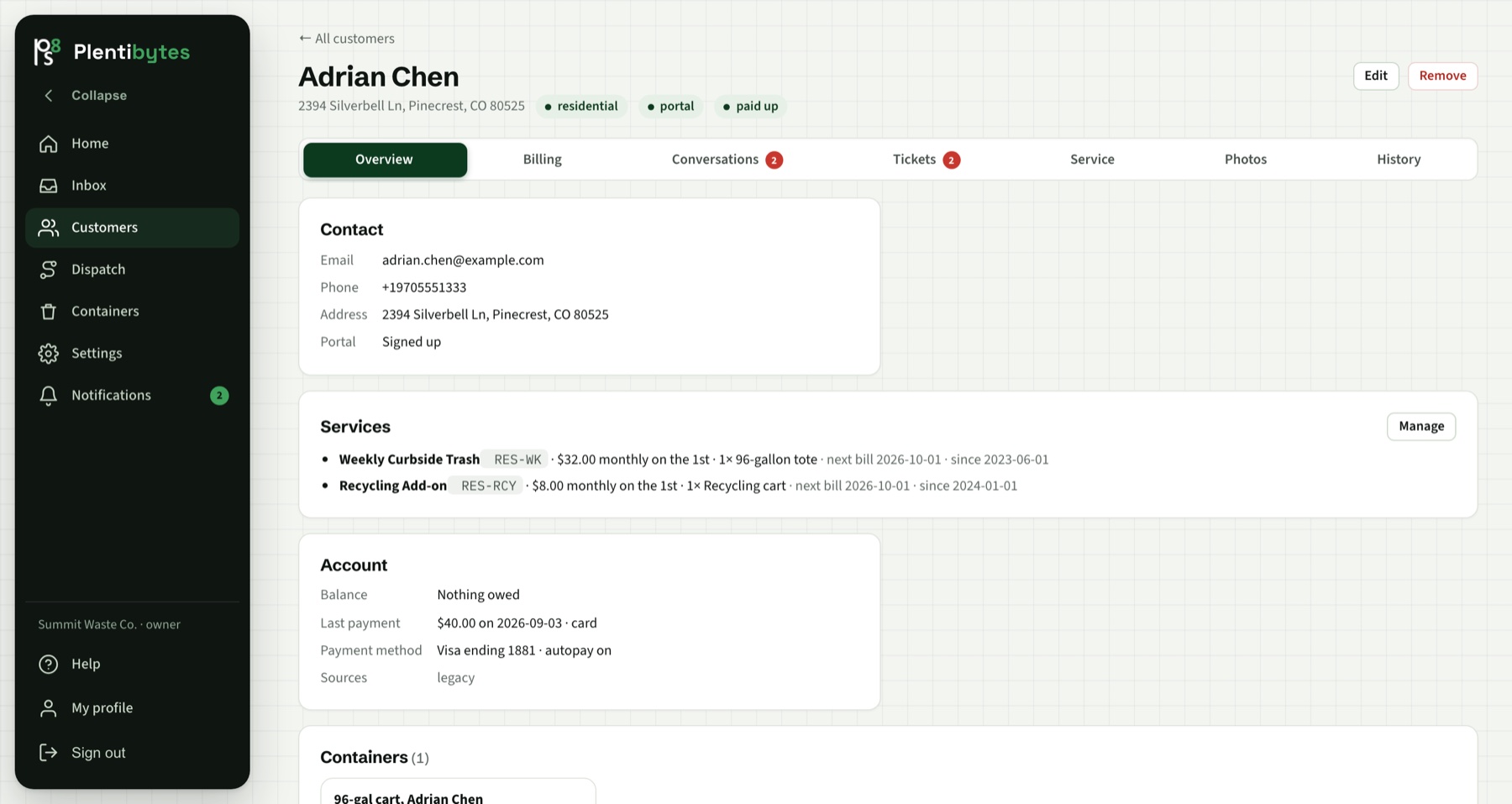
Billing standing, service history, tickets, photos and every conversation on one page. Import from your billing system or connect it live.
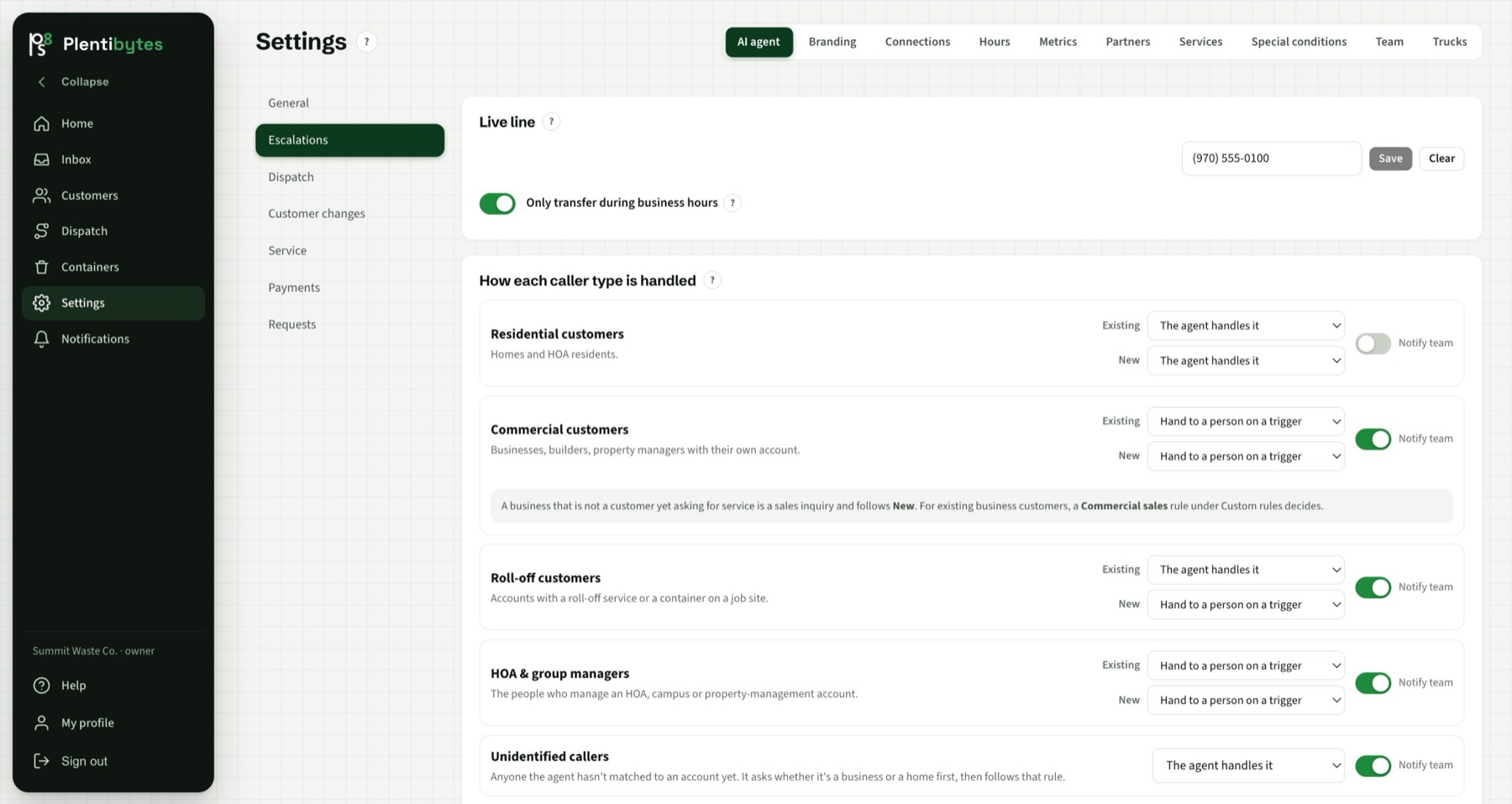
Past-due handling, extra-pickup fees, disputes and go-backs are settings. The agent follows them, and the software enforces them.
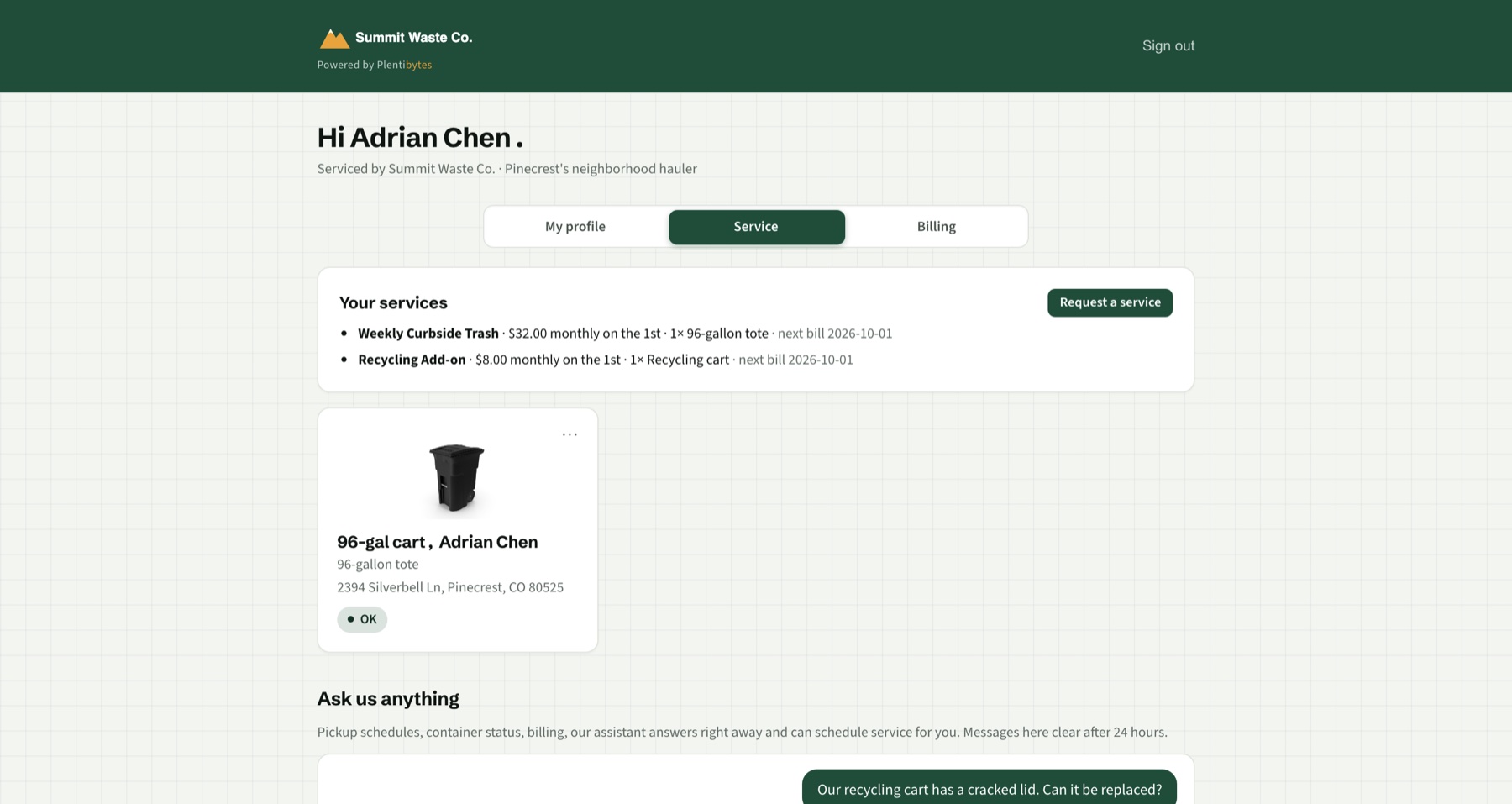
Your name, colors and logo. Customers see their services, bills and tickets, and pay from a link. No password to remember.
How the agent works
By phone, text, email and portal chat, in the caller's language, day or night. Only callers who opted in get texts.
Route day, whether the truck has passed, the driver's log, the balance and the service rules, before it promises anything.
Files the missed pickup, books the extra, sends the payment link, updates contact details. Each action is a switch you can turn off, and every call is transcribed into the Inbox with the actions it took.
Money
Try it on a real call
Give the AI agent a call as one of your customers. It answers with your company's name, your prices and your rules, and you see the transcript in the Inbox afterward.
Get a live call from the AICommon questions
No. It answers the routine calls, texts and emails (schedule questions, missed pickups, extras, balances) and files everything as a ticket. Your team sees only what needs a person, and every action the agent may take is a switch you control.
No. Customer, route and balance data comes over during onboarding, and connected systems (Stripe, a billing API, truck GPS) stay the source of record. Where you have nothing, the built-in route book, billing and dispatch are there.
Your escalation rules decide, by caller type and business hours. When a transfer is allowed the call goes to your escalation line; if nobody answers, the caller can leave a message and it becomes an urgent callback ticket with the transcript attached.
Your service rules decide: serve anyway, serve but ask for payment, or hold extra service until paid. Held stops show red on the route and skip automatically; when a payment lands through Stripe or your billing system, the hold clears without anyone touching it.
Keep reading
Book a demo and we walk your routes, your customers and your phone line. Or get a call from the agent right now.