 Plentibytes
Guide
Roll-off dispatch: drops, swaps and pulls on one board.
Why a rental is a job and not a stop, how the board moves, and what a yard sees first thing in the morning.
A rental is a job, not a stop.
Weekly routes are a list of stops that repeat. A roll-off rental is different: a container lands on a site, sits for a stretch, and leaves, with a rate for the haul and a window for the rental. Running that on a route book, or on a whiteboard, is why swaps blow up the morning.
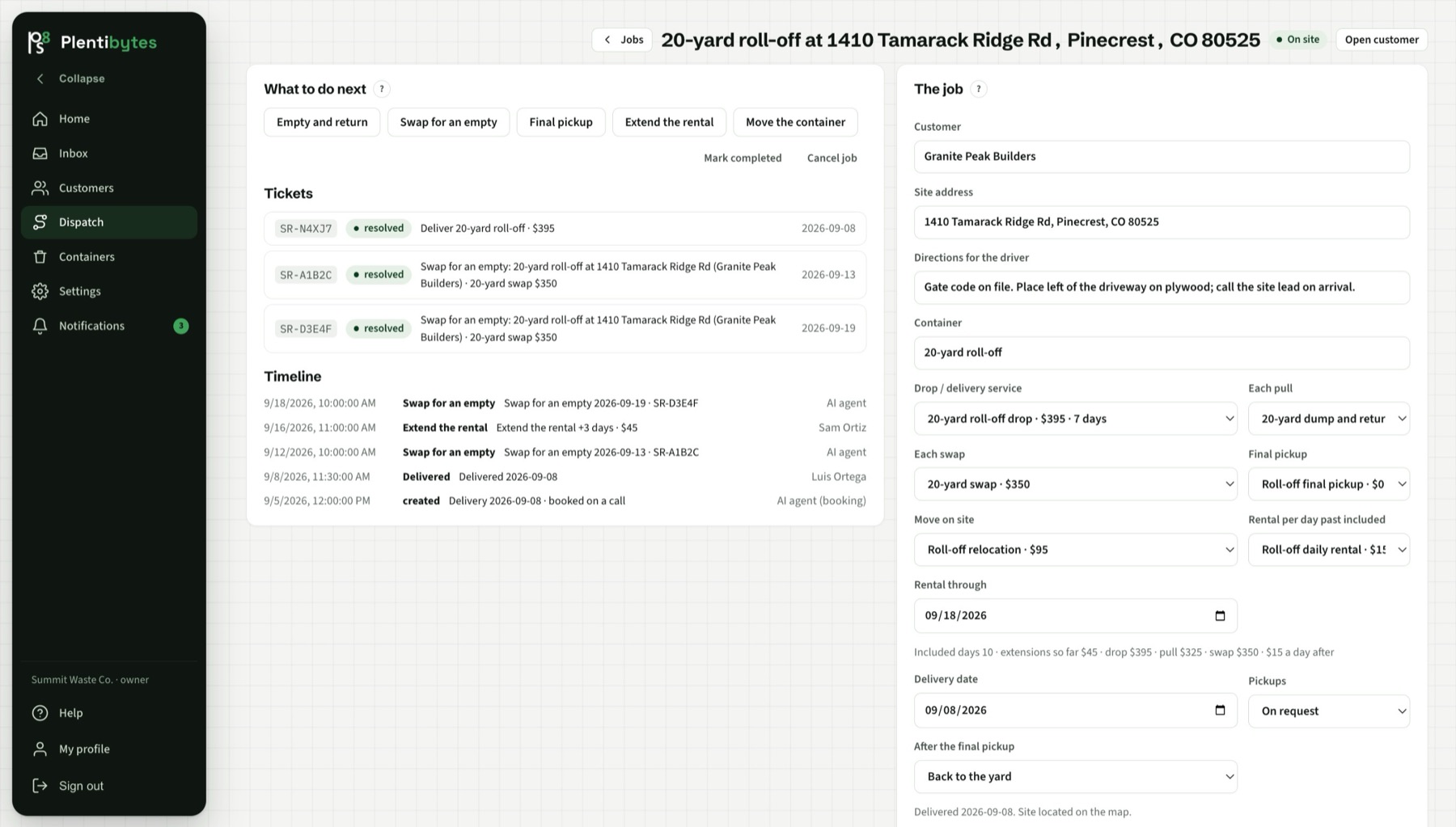
In Plentibytes the rental is a job. The job carries the container, the site address, the haul rate, the rental window, the overage per day and what happens to the container afterward. Every action on it is a ticket, so the driver, dispatch and the customer see it the same way.
The board.
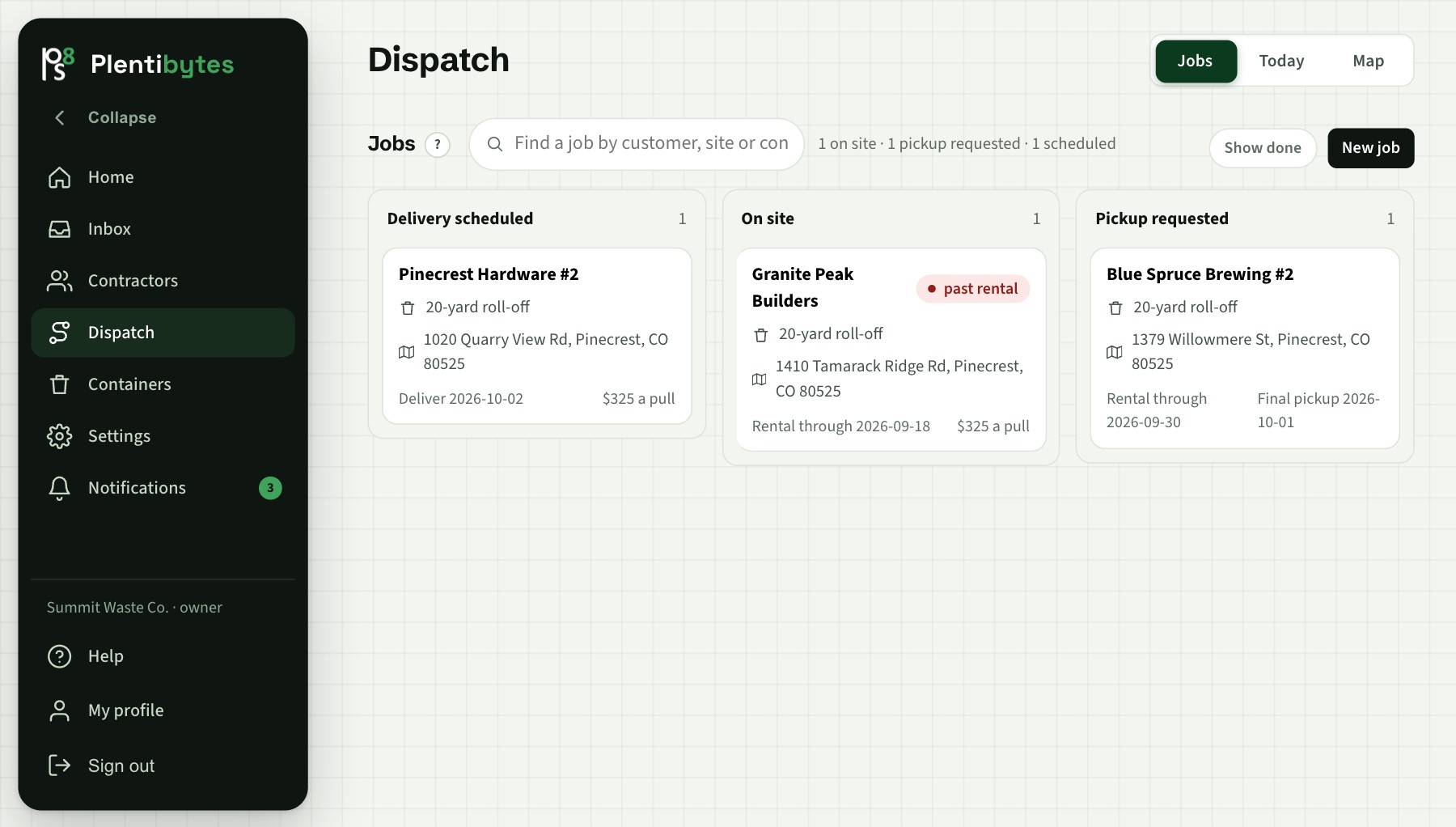
The Jobs board has three columns: delivery scheduled, on site, and pickup requested. A job moves right as it goes. A rental past its window shows a past-rental flag on the card, and the overage is priced from your catalog when it is pulled.
Drops, swaps, pulls and finals.
- Drop. The delivery is scheduled on a date; the driver sees it in drive mode with the site notes.
- Empty and return. The container is pulled, emptied and brought back to the same site. A haul at the haul rate.
- Swap. A full container leaves and an empty one lands in the same trip. The customer can request it from the portal or by text.
- Final pickup. The rental ends, the container goes to the yard or on to the next job, and the job is completed.
- Extend or move. More days on the window, or the container to a different spot on the site. Both stay on the job's history.
What the Home page shows a yard.
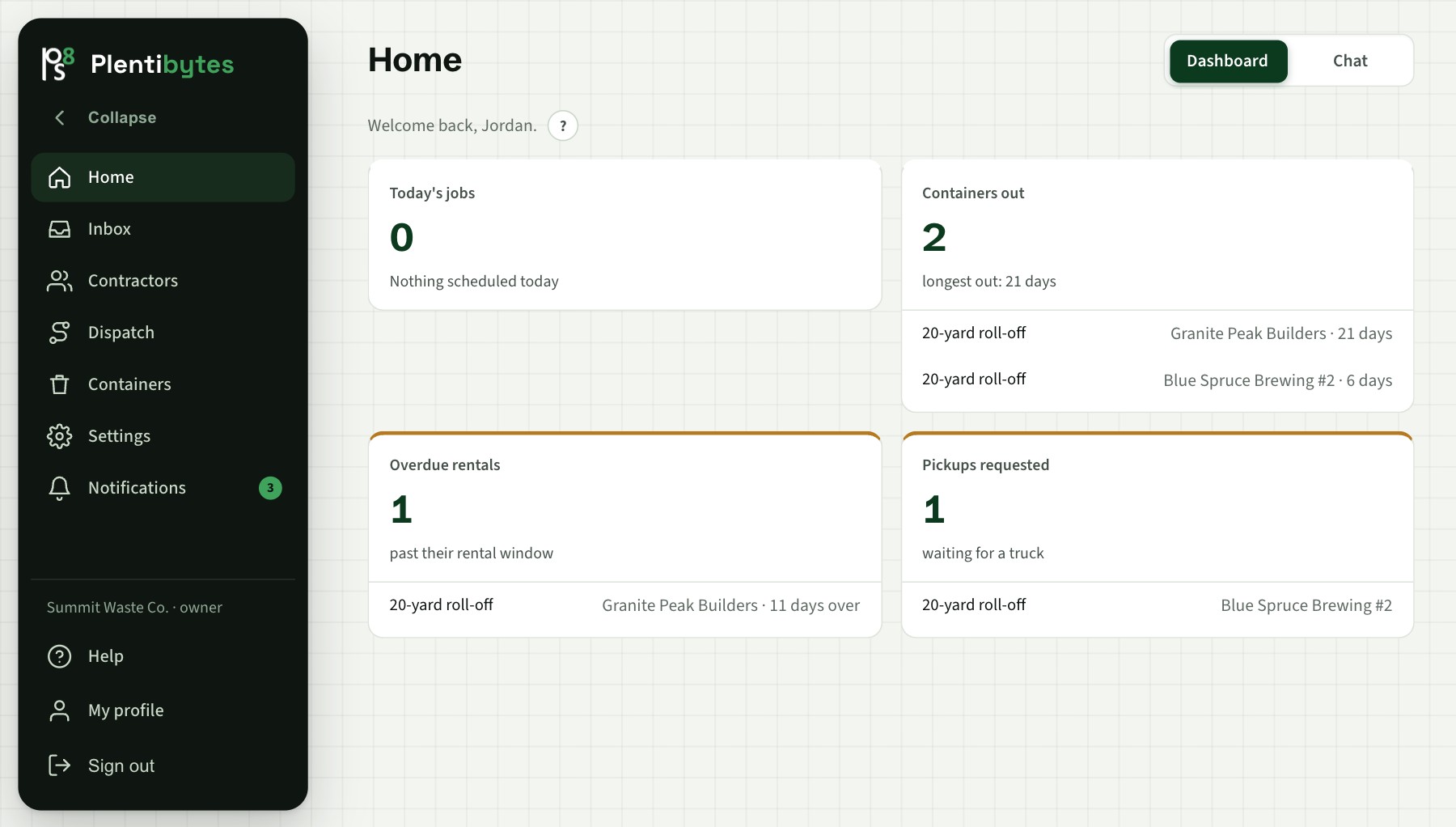
Today's jobs, by type. Containers out, longest first, with days out. Overdue rentals and how many days over. Pickups requested and waiting for a truck. Each line links to the job.
Taking the order by phone, if you want to.
Roll-off yards start with the customer-facing agent off; most orders come from repeat contractors by phone. Turn it on and the agent confirms the size, the dates and the delivery address, checks the address on the map, checks availability, and books the drop. If your rules say payment comes first, it sends the payment link and the drop waits for it.
Keep reading
Related pages.
See a rental end to end.
Book a demo and we run one rental from the first call to the final pull.