 Plentibytes
Guide
How an AI phone agent answers a waste hauler's calls.
Step by step: what the agent reads before it speaks, the four calls it takes most, the switches that limit it, and what happens when someone asks for a person.
What happens when the phone rings.
A customer calls the number they have always called. The call is forwarded to the agent's line, and it answers as your company, with the name you gave it. It recognizes a known customer by phone number and greets them by name. An unknown caller is asked what they need and, if they want service, where.
Before it says anything about a pickup, it reads the account: the route day, whether the route is still running, whether the truck has already passed the stop, the driver's log for today, the balance, and your service rules. That order matters. The agent never promises a pickup it cannot see the truck making.
The four calls it takes most.
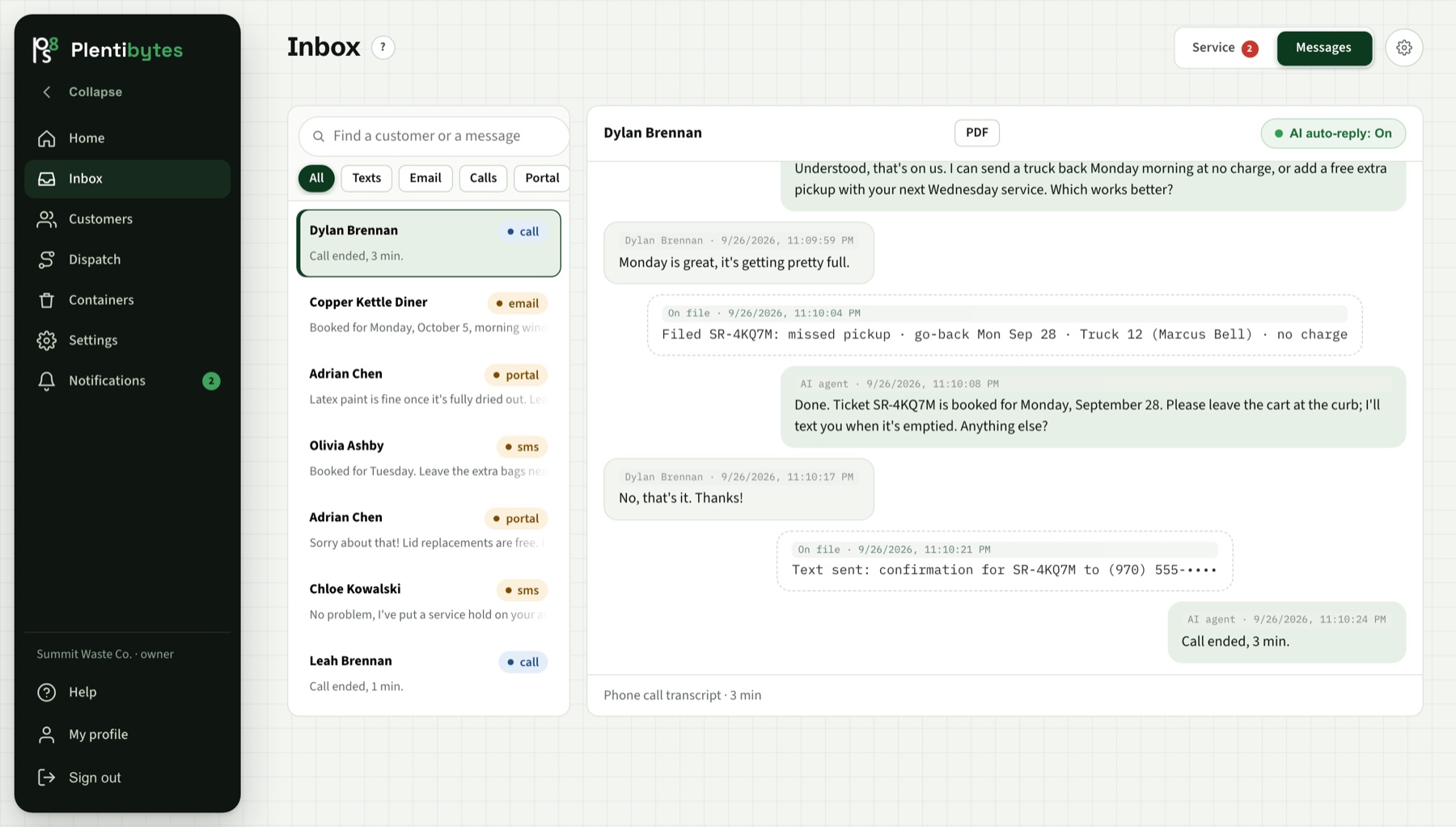
- When is my pickup? It reads the route book and answers with the day and the cans-out time. Holiday changes come from the schedule notes your office keeps.
- You missed me. It checks the driver's log and the truck's trail. A stop the truck did not reach is filed as a missed pickup with the address attached, dispatch-ready. A stop the driver logged as cart-not-out gets the go-back rule you set.
- Can I get an extra pickup? It quotes the fee from your price list, files the request, and offers the payment link if your rules say extras are prepaid. Never a price it invented.
- What do I owe? It reads the balance from your connected billing system or the last import, says which it is, and offers the payment link by text or email. It asks before it sends.
What it will not do.
Everything the agent may do is a switch on the AI agent page. Filing requests, updating contact details, scheduling drop-offs, sending portal access, sending payment links, applying credits: each one on or off, and each money action with a dollar cap. Anything switched off, the agent takes the caller's details and your team gets a notification.
It does not accept card numbers read aloud; payment links are the only way. It does not name a price that is not in your catalog. It does not tell a customer a payment went through unless the payment system reported it, and where your pay page cannot report back, it says payment systems can take up to 24 hours to update.
When a person needs to step in.
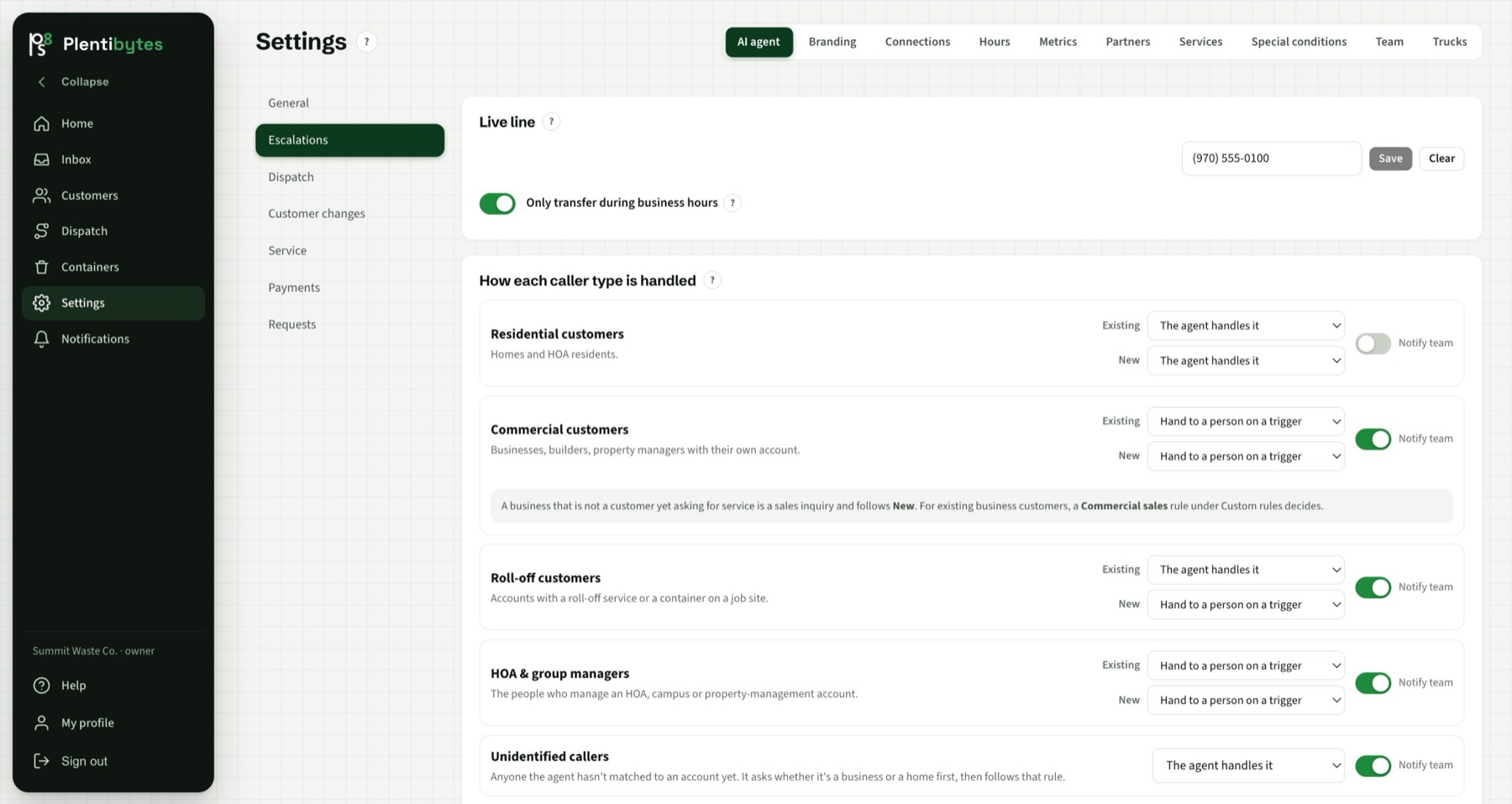
Your escalation rules say which callers may be transferred, for what, and during which hours. Residential callers can be handled by the agent start to finish while commercial and group accounts always transfer, or the other way around. When a transfer is allowed the call goes to your escalation line, a real phone. If nobody picks up, the caller is offered voicemail, and the recording and its transcript become an urgent callback ticket with a notification to your team.
When a transfer is not allowed, the agent does not pretend. It takes the details, files the request as urgent, promises the follow-up your rules allow, and keeps helping with whatever it can do.
Texting, and who may receive it.
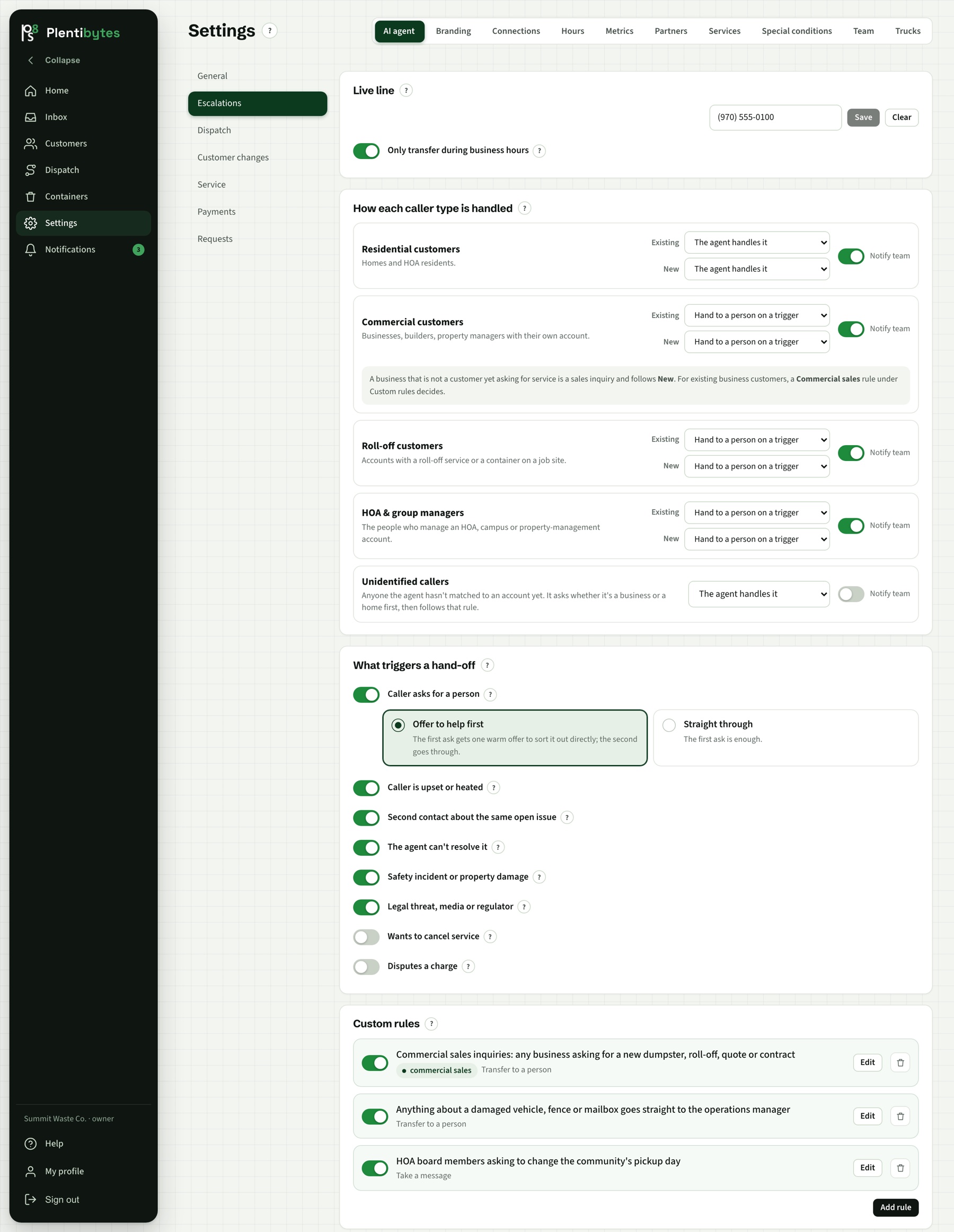
Text messages only go to people who opted in, and the agent knows who did. On a call it offers text or email for a link and sends what the caller chose. STOP works, START re-subscribes, and every text is logged on the customer's thread. Demo mode keeps test conversations away from real customers: texts meant for a played customer go to your demo contact instead.
Testing it before it goes live.
Turn on demo mode, list a phone as a demo contact, and call the line as one of your customers. The agent answers with your prices and your rules, and the transcript lands in the Inbox afterward. Nothing reaches a real customer until you switch the account to live.
Keep reading
Related pages.
Hear it take a call.
Get a call from the agent right now, or book a demo and we run it on your routes.